Build on
what’s already there.
Each chat’s live Python session keeps data, imports, and helpers between steps, ready for the next request.
A free desktop app where AI does real work:
running code, handling files, browsing the web.
Each chat keeps its results alive for the next step.
Free & open source · Windows, macOS, Linux
01 THE WORKSPACE
Ask for something and the model gets to work: it writes a little Python, opens your files, checks a website, and shows you every step. Files, a browser, a terminal, and a Review pane sit right beside the chat, or in windows of their own.
Tidy a spreadsheet, explore a codebase, or write a script. The model runs it, checks the output, and keeps the working data ready for your next request.
FILES → CODE → CHECKED OUTPUTCompare documents, gather sources, and pull out what matters. References and notes stay together as your question grows.
SOURCES → SYNTHESIS → FOLLOW-UPPrepare a document, open it in the app where it belongs, and check how it looks. Controlling other apps works on Windows today.
FILES → BROWSER → APPLICATIONSRecorded in the current preview with a sample project. The conversation was set up for the recording; the panels and windows are the app itself. The interface will keep changing before a stable release.
02 LIVING STATE
Every chat grows its own Python session. The data and helpers the model creates live there, so a follow-up builds on them instead of starting over. Try it.
03 THE METHOD
The model works through a task in Python, combines tools as it goes, and can even improve those tools along the way.
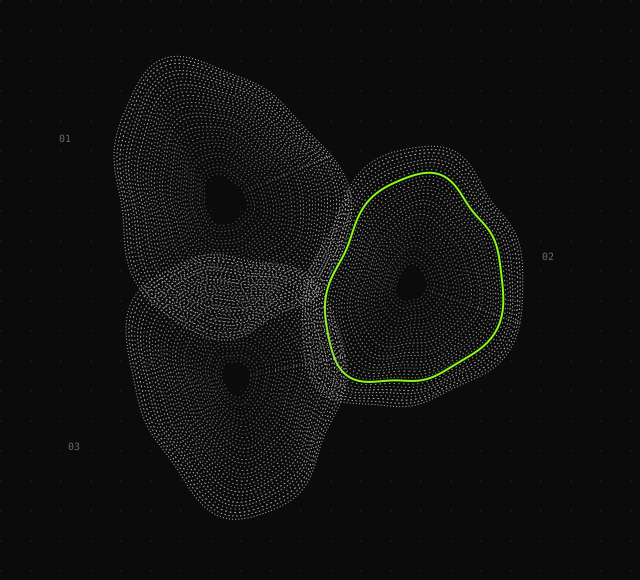
Each chat’s live Python session keeps data, imports, and helpers between steps, ready for the next request.
Code connects the steps: read a file, reshape the data, open a page, check the result. Useful steps become reusable helpers.
Turn on mutation and the model can propose better versions of its tools, test them, and roll them back. You can steer or stop it at any time.
04 MODEL CHOICE
Run one on your own machine, use an API key,
or sign in with a plan you already have.
Point VARIANT-1 at a GGUF model and it runs llama.cpp for you, or connect LM Studio. No per-message fees.
LOCAL MODELSOpenAI, Anthropic, Google Gemini, xAI, OpenRouter, DeepSeek, and dozens more, plus any OpenAI-compatible endpoint. Your provider bills you directly.
API KEYS + CUSTOM ENDPOINTSUse a ChatGPT subscription, or a desktop service you’re already signed in to, such as Ollama.
ACCOUNTS + SUBSCRIPTIONS05 BEYOND ONE CHAT
Give the agent a bigger objective, let helper agents share the load, and put routine jobs on a schedule.
How goals and automations workStart a Goal and the agent plans the steps, keeps progress notes, and picks up where it stopped.
Big jobs can be split between helper agents, each with its own session. You can see what every helper is doing.
Run an instruction on a schedule or when something happens on your computer, like a morning briefing.
06 GOOD QUESTIONS